
X-PLANE 12 · WINDOWS + LINUX
Native simulator connection.
Install the G5 companion plugin in X-Plane, then connect the instrument to your local network. No separate bridge application or HDMI output is needed.
Get the X-Plane companionPROTOTYPE STAGE · PRE-PRODUCTION
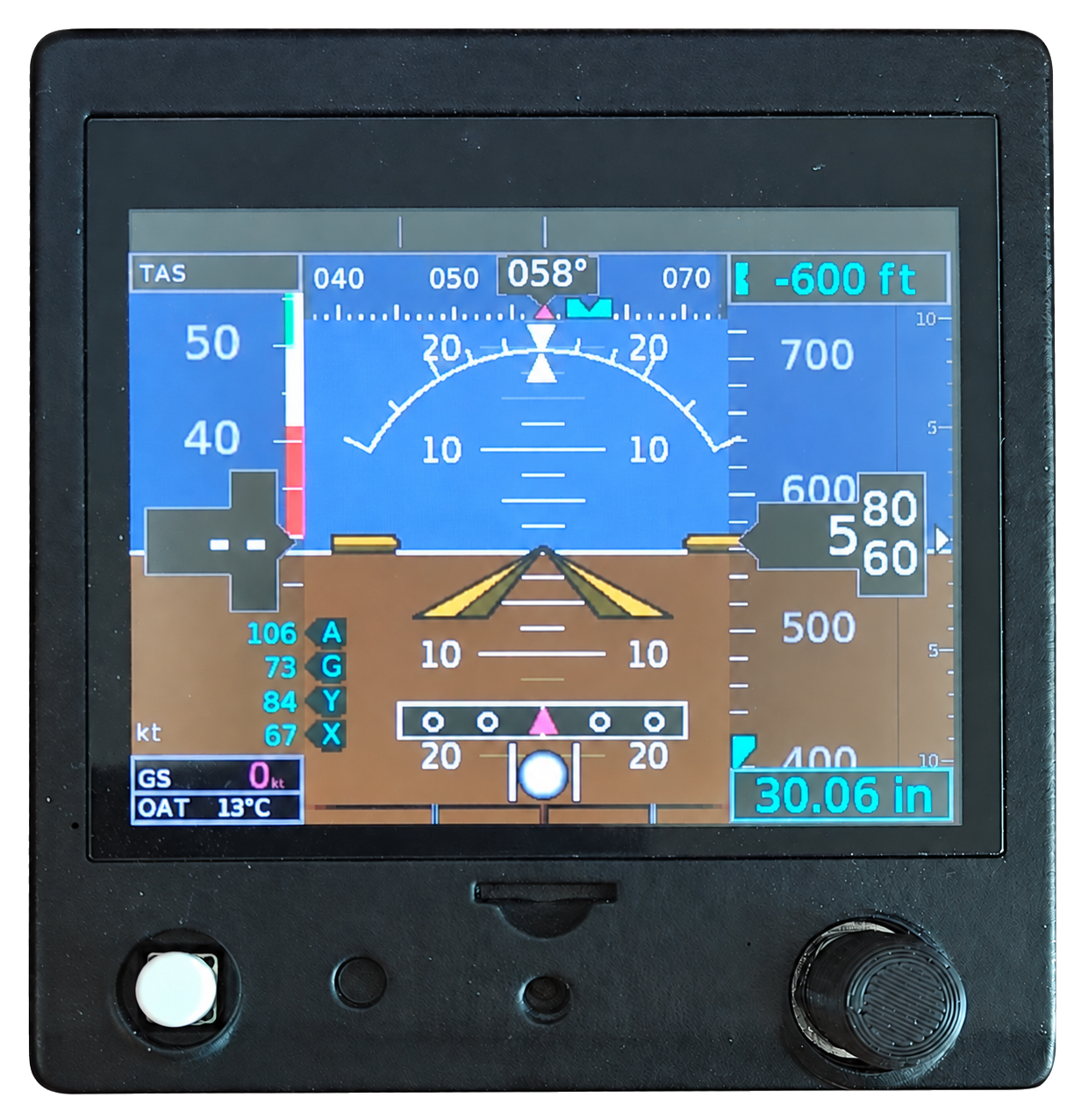
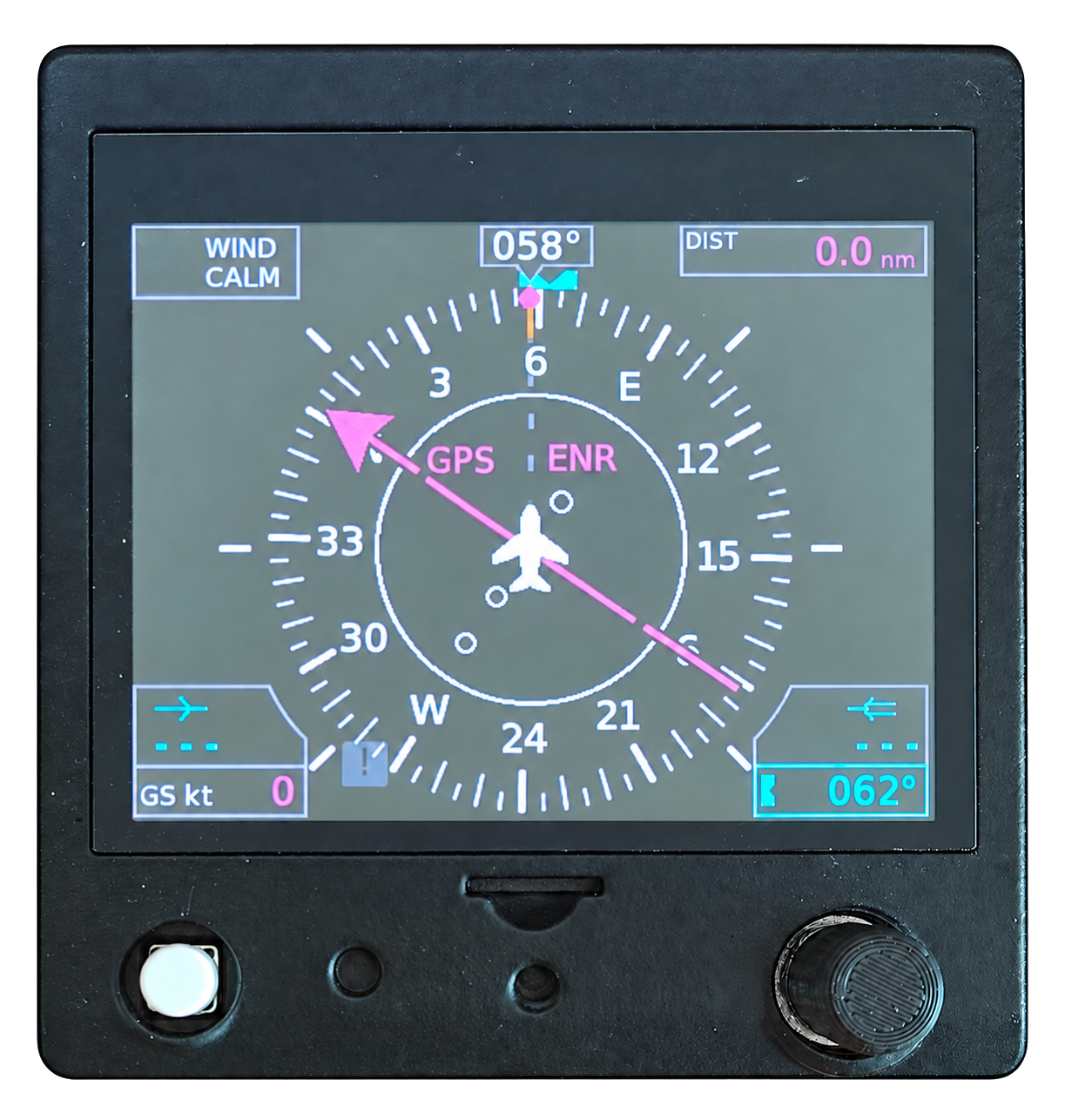
A self-contained G5-style instrument with its own display, processor and physical controls. Connect it by Ethernet: no HDMI port or PC display-rendering software required.
The photographs show our working prototype. Pre-production development is ongoing; final hardware, availability and pricing will be confirmed before sale.
REACH. TURN. FLY.
Practise the instrument’s operating flow, from everyday PFD and HSI controls to its installation Configuration Mode.
For simulation only. Aircraft-specific indications depend on simulator support; physical-aircraft hardware functions are identified as unsupported.
A 3.5-inch, 640 × 480 display for attitude, airspeed, altitude and vertical speed, or heading, course and GPS, VOR and localizer guidance.
Study-level operation with the full menu structure, including Configuration Mode. Set V-speeds, display preferences, units and supported installation settings with the rotary knob.
Built-in over-the-air firmware updates use the network connection. Check for an update from Configuration Mode, without opening the enclosure.
CONNECT TO YOUR SIMULATOR
The instrument draws its own screen. Your simulator PC supplies flight data, with a separate bridge application needed only for MSFS.
X-PLANE 12 · WINDOWS + LINUX
Install the G5 companion plugin in X-Plane, then connect the instrument to your local network. No separate bridge application or HDMI output is needed.
Get the X-Plane companionMSFS 2024 · WINDOWS
Run the G5 Bridge on your simulator PC to share flight data and controls over Ethernet. The Windows installer includes the required companion components.
Get the MSFS companionMSFS 2024 SU5 or newer; Windows 10/11, 64-bit. X-Plane companion available for Windows and Linux x86-64. Indications and controls vary with the aircraft. Final mounting and power specifications will accompany the production instrument.
THE FULL DEMO MODE 1
Watch the full flight sequence and menu tour on both instrument pages, captured from the actual G5 display software.
PFD / DEMO MODE 1
HSI / DEMO MODE 1
Three-minute software captures at 30 fps, using the built-in demonstration’s simulated flight data. Videos play automatically when in view. Use the controls to pause or explore the flight sequence, operating menus and Configuration Mode.
DEMO MODE 1
The repeating demonstration runs through a flight and then tours the operational menus and Configuration Mode. It works without a simulator connection.
DEMO MODE 2
The aircraft stays at the ramp while you use the knob, switch pages and explore supported settings yourself. On the instrument, choose either demo from Setup.
GET TO KNOW THE CONTROLS
Setup, everyday controls, both demo modes and troubleshooting in a concise draft guide. Final hardware specifications are being confirmed alongside the prototype.
PRE-PRODUCTION DOCUMENTATION
Draft guide for the current prototype. Final production hardware specifications are pending.
Tell us about your simulator, aircraft and cockpit plans.