NEW SIMULATORS / EXISTING SIMULATORS

Your aircraft.
Your kind of cockpit.

Build something new, convert a real cockpit, or get your existing simulator working as it should. Practical hardware and software solutions for enthusiasts and flight schools.

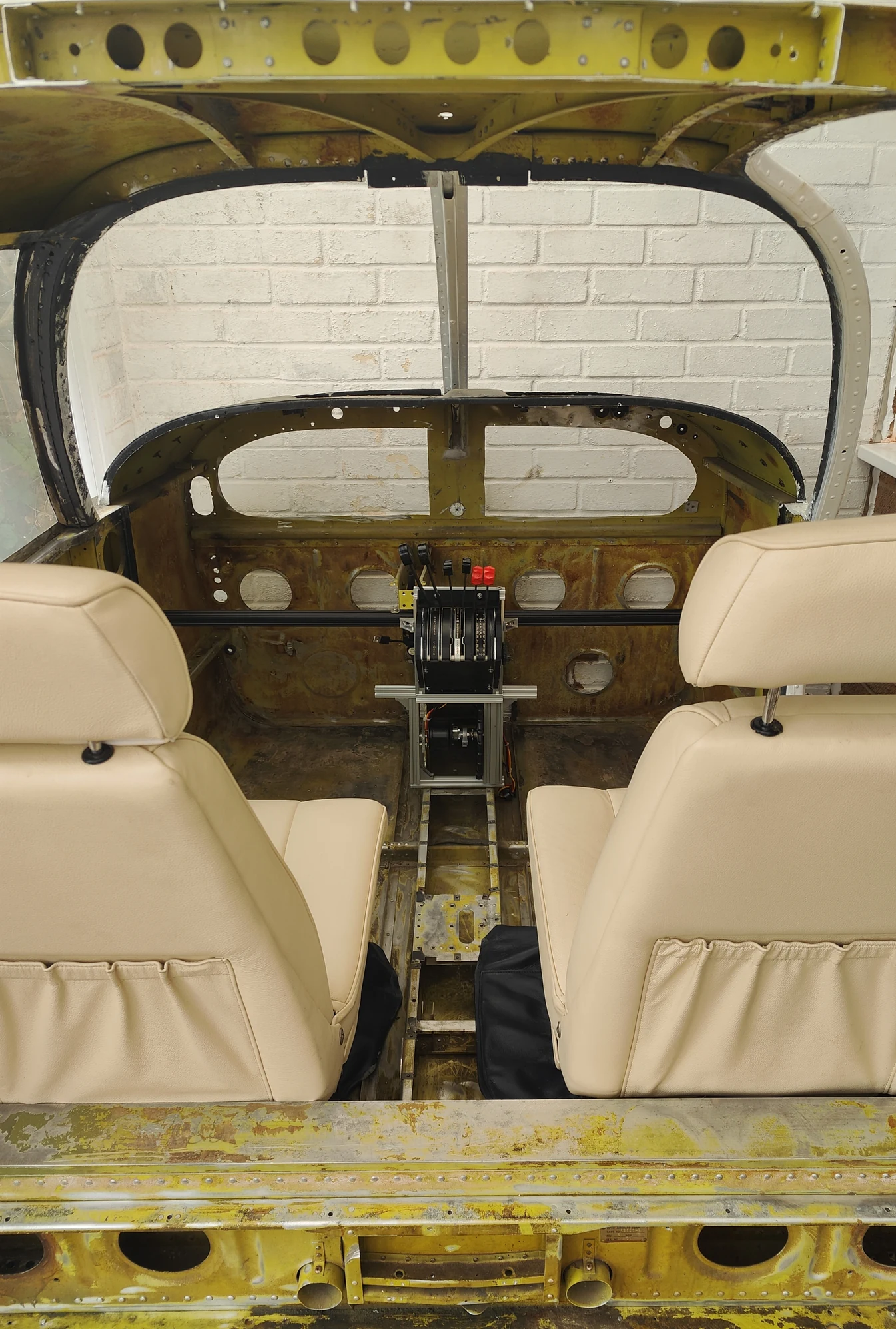
FlightNovo cockpit conversion in progress: exposed real aircraft structure, two seats and a central throttle pedestal
Real FlightNovo cockpit conversion · work in progress

REAL AIRCRAFT. A NEW PURPOSE.

A cockpit,
taking shape.

This is our real cockpit conversion in progress. The original airframe, seats and aviation controls provide the starting point for a new simulation system.

Bring your own cockpit or explore a build with us. We can plan the interfaces, instruments, visuals and force-feedback controls around the parts and space you have.

NEW SIMULATORS

From desk to flight deck.

Plan around Cessna or Piper aircraft, single or multi-engine layouts, or a turboprop. Scope and component choices are tailored to each project.

01 / DESKTOP SOLUTIONS

A more affordable way in.

A focused panel and the controls you need, sized for your desk and budget. Start with a practical instrument setup and leave room to expand.

  • G1000 or G5 simulator displays
  • Garmin-style autopilot controls
  • GTN 750 / GTN 650 navigation options
  • GNS 530 / GNS 430 navigation options
  • Mounting, controls and software integration
Discuss a desktop setup ↗

02 / FULL COCKPIT

A wider view. A closer feel.

A dedicated cockpit with a three-screen visual system, force-feedback controls and a panel arranged around the aircraft you want to fly.

  • Three-screen visuals and display alignment
  • Force-feedback control integration
  • Single-engine, multi-engine or turboprop layouts
  • Cessna and Piper-inspired configurations
Plan your cockpit ↗

03 / REAL COCKPIT CONVERSION

Give a cockpit a new life.

Convert a real aircraft cockpit into a simulator. Retain the character of real aviation parts while integrating the displays, controls and software that make them useful for simulation.

  • Existing cockpit and aircraft-part assessment
  • Real switches, panels and controls where suitable
  • Custom interface and instrument integration
  • Visuals and force feedback to suit the build
Discuss a conversion ↗

04 / FLIGHT SCHOOLS

Built around your school.

Discuss a simulator build that fits your aircraft, space and intended use, with support considered from the start.

  • Aircraft and operating requirements
  • Hardware and software selection
  • Installation and ongoing maintenance planning
  • Training approval needs scoped separately
Start a school enquiry ↗

Projects are scoped individually. Aircraft names describe the intended simulator configuration; they do not imply manufacturer affiliation. Navigation software, avionics hardware and any licences are selected and priced for each build.

EXISTING SIMULATORS

Keep your cockpit flying.

Help with the simulator you already own, across the physical installation and the software behind it.

Maintenance & troubleshooting

Find the cause of connection failures, unreliable controls, display problems and simulator faults. Agree a repair plan based on the hardware and software in your installation.

  • Hardware inspection and fault finding
  • Software, plugin and network troubleshooting
  • Control calibration and configuration fixes

Updates, fixes & upgrades

Keep the parts of your system working together when simulators, operating systems and cockpit components change.

  • Simulator, operating system and plugin updates
  • Hardware repairs and component integration
  • Software fixes and compatibility checks
  • Ongoing care agreed around your usage

Have a project in mind?

A desktop, a real cockpit conversion or support for an existing simulator.

Start a conversation